
Karma Slack and MS Teams FAQ
Slack
See Billing and pricing explained at Billing and pricing FAQ.
How do I sign up?
Click the install button at Karma website. You will have a 30-day-long free trial period to get a taste of Karma Pro account.
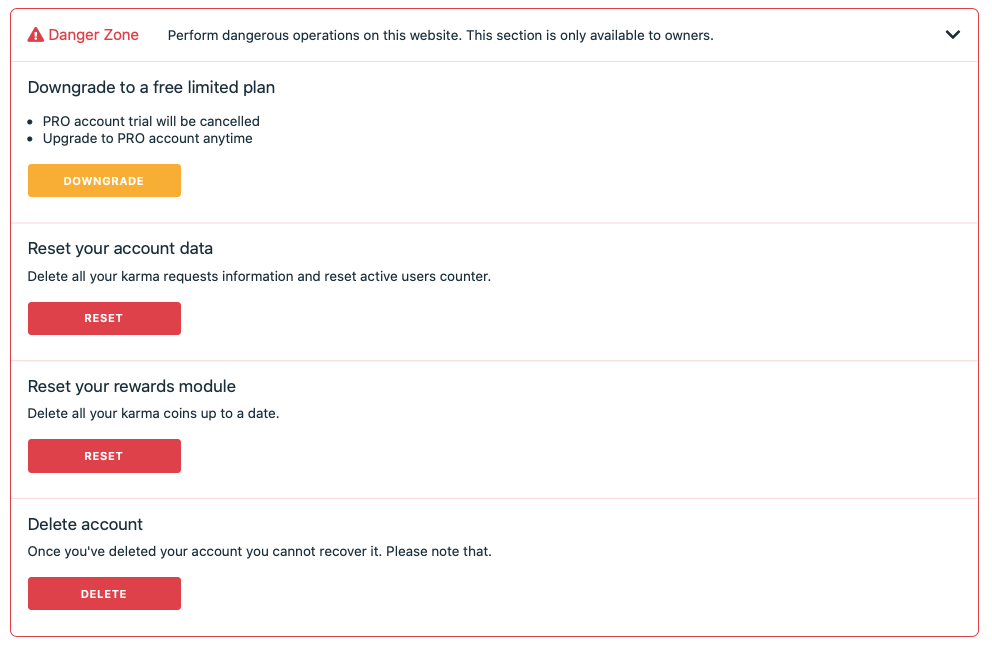
If there is a way to reset Karma points back to zero across all users?
Visit your Billing page: Billing → Danger zone.
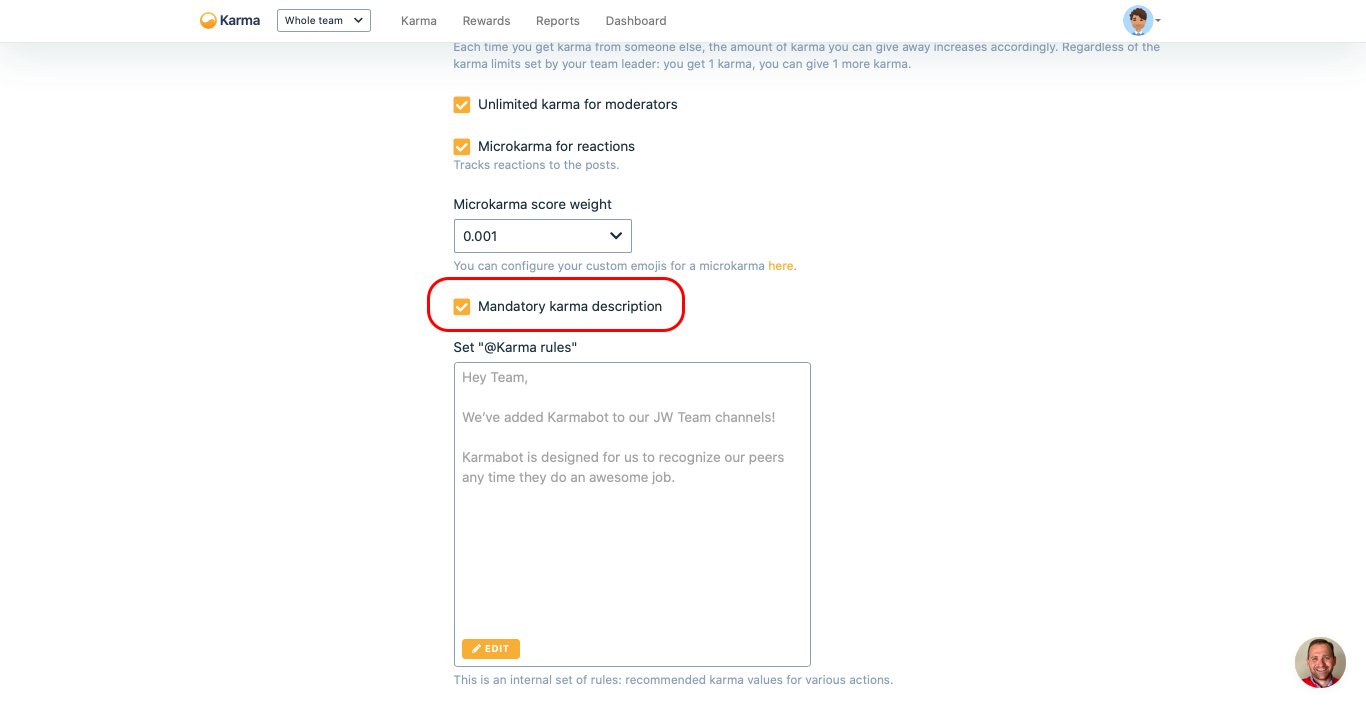
Is it possible to give karma only by@Name++, hence without adding the "for being...." part?
@Name++, hence without adding the "for being...." part?Yes, you can. You need to turn 'Mandatory karma description' OFF in Settings.
Is there a way to separate Karma based on channels?
No, there isn’t at the moment. But you can create different teams. Please contact support for that.
Is there a syntax for sending karma to multiple users with a single message?
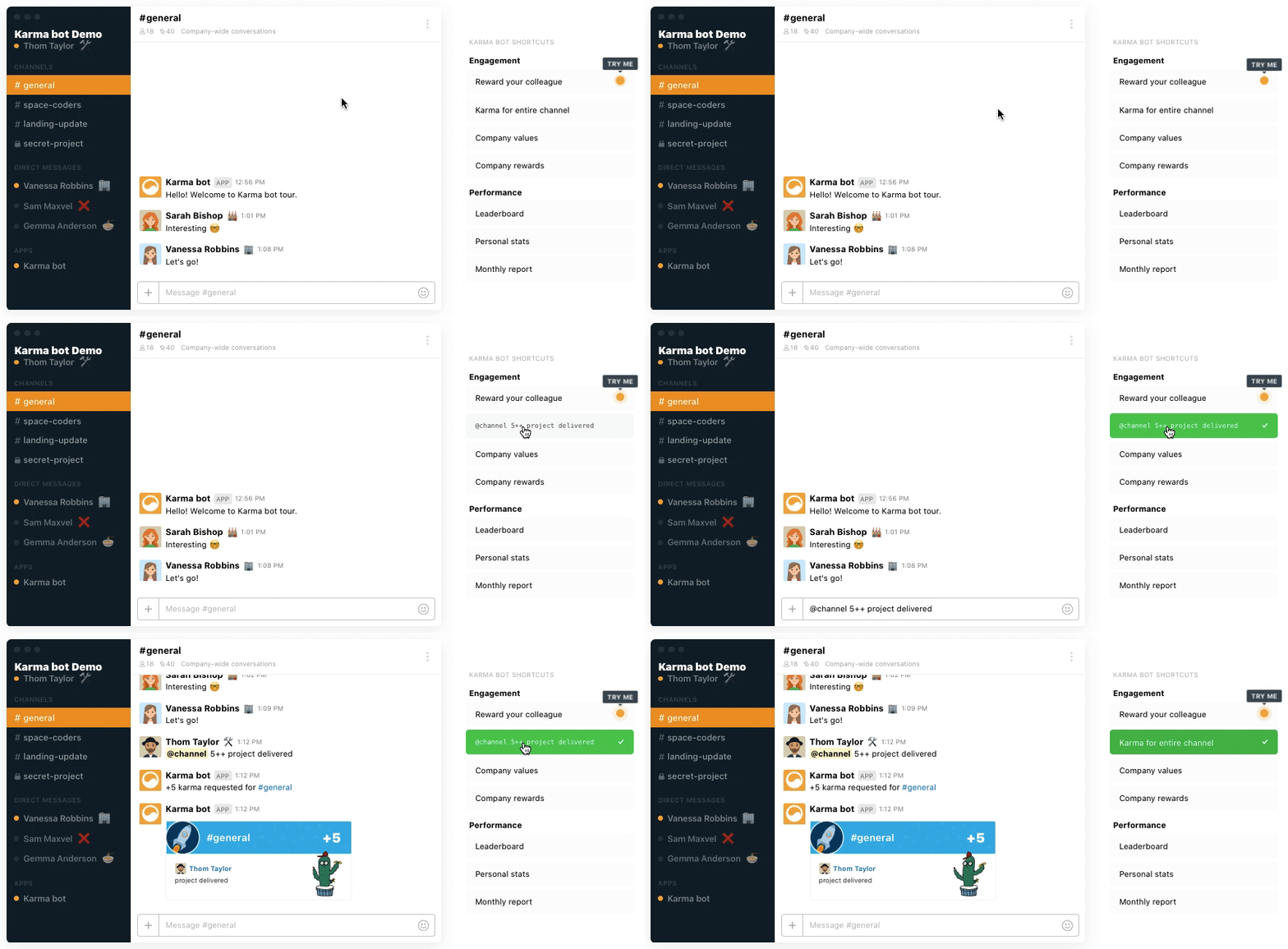
Please mention them one by one followed by ++ and (preferably) a description. Also, things like #channel_name ++ awesome work! and @channel ++ good work! would send karma to every member of the channel.
Why is the name of the private channel in which I gave karma not displayed?
Private channels are private. Karma simply doesn't have such information. It will always show as a private channel. Slack does not provide a private channel name via the API.
What happens to unredeemed karma points at the end of the month? Will they be carried over to the next?
They will be carried over to the next one.
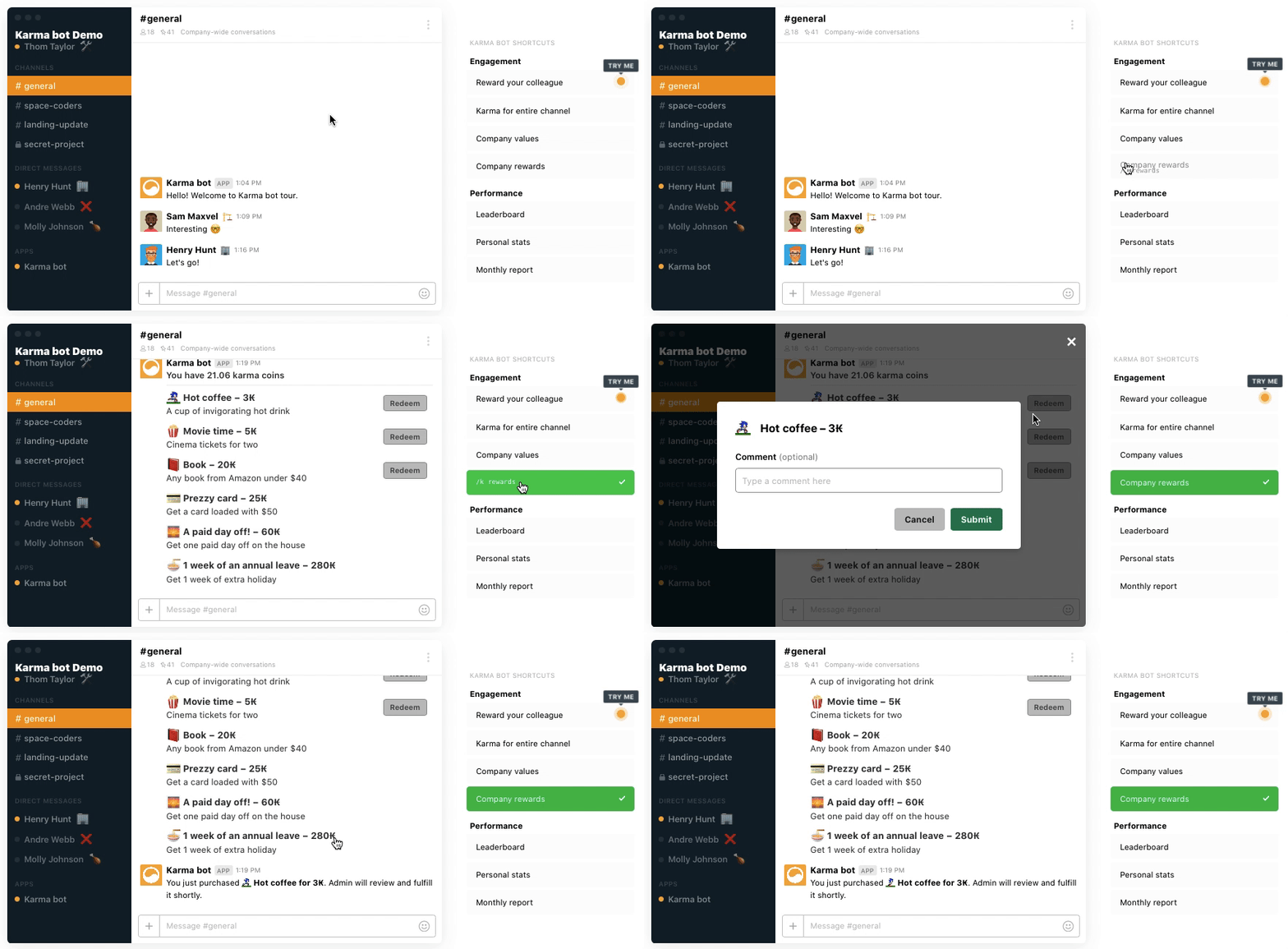
How does a user redeem a reward?
Either via slack /k rewards or via a Dashboard.
Can multiple people pool their karma points to cash in a team reward?
Not at the moment, no. We are planning to implement it soon.
Once I add Karma to Slack, does it also work with shared channels?
You need to invite it to every channel where you want to use it.
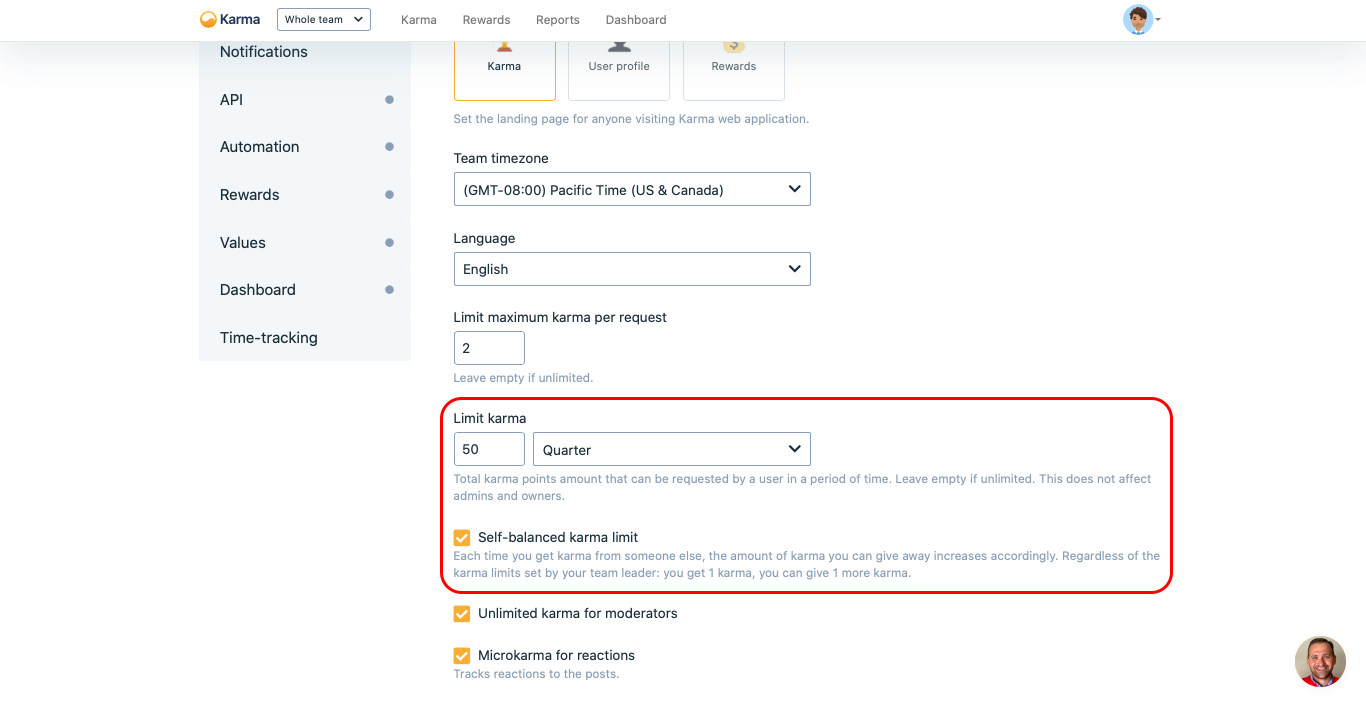
How many karma points does a member have (and if so, can this be changed?)
It depends on the limit. You can set that up in Settings.
Why does/k values work and show the dummy values when this isn't enabled in settings?
/k values work and show the dummy values when this isn't enabled in settings?That would be Karma default values that are used if you do not set your custom ones.
Do you have some great examples of the «Rules» section anywhere for inspiration?
We've added Karma bot to our Slack!

Karma bot is designed for you to recognize your peers any time they do an awesome job.

Things that do deserve some karma:
++ For being awesome
2++ You're so on it!
3++ For being super-duper awesome
5++ For making my day with a triple shot decaf soy latte
How can I allow negative karma?
You must contact support.
If the image message could display more than 150 characters?
No, 150 characters are the limit.
What is the weekly karma limit for the free tier? Is it a per-user limit or team limit?
5 points per week. It is a per person limit.
Can we check channel-specific karma in the free version?
No that is part of a paid subscription.
What does the weekly karma limit look like on the free version?
You will have 5 points to spend per week and all history locked to 1 week only.
Microsoft Teams
How do you activate a 30-day free trial?
Just install Karma in a Teams, where you want to use it.
Can I use it without having to subscribe to a particular subscription?
Only within a trial period.
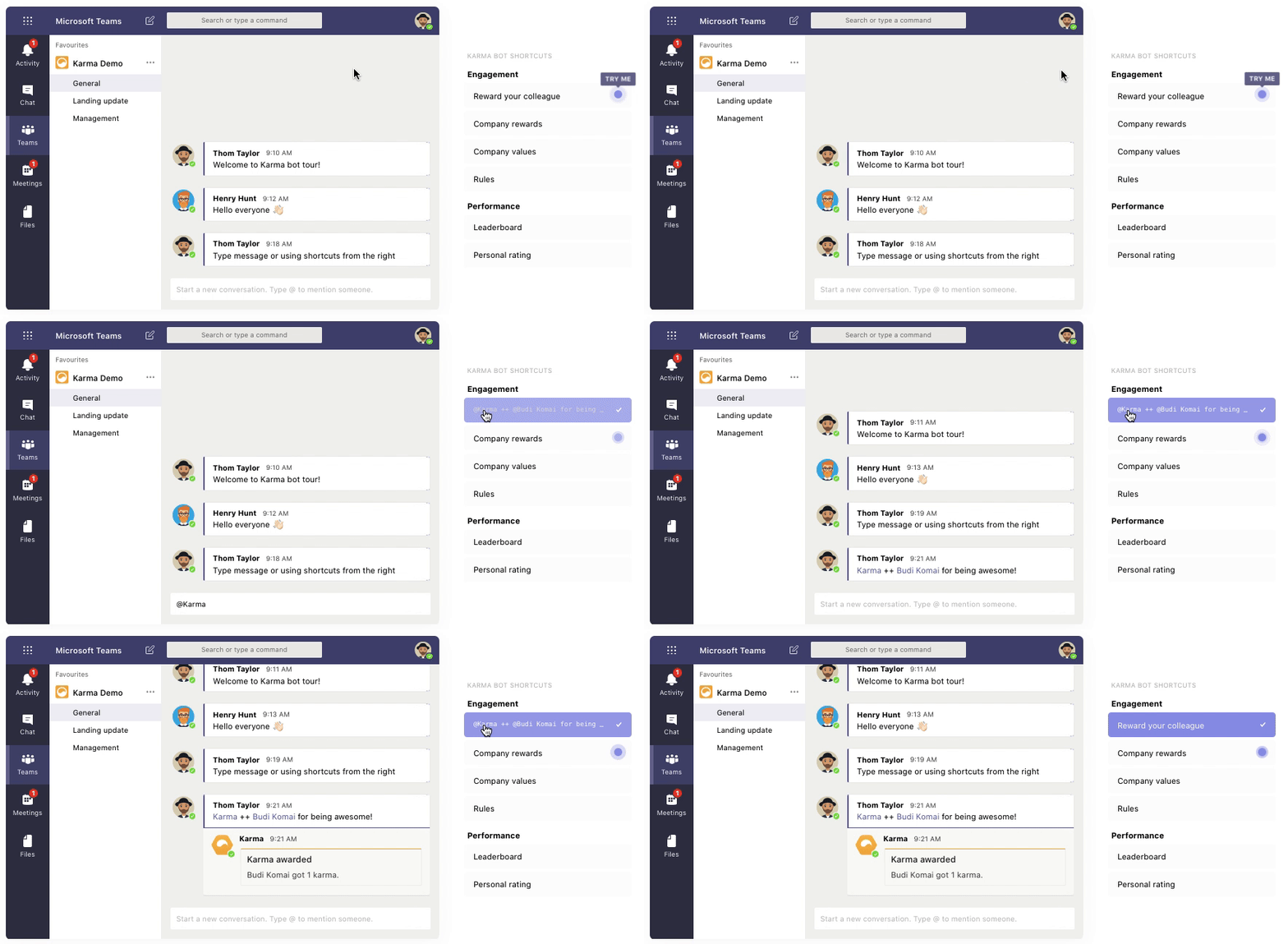
How to I give bonus points?@karma@?
@karma@?@karma ++ @username [description].
What happens if you give karma to yourself?
You can turn a self karma request on in settings. By default, the option is off.
After I add custom company values, how can I tag them when requesting karma?
We do that automatically, as long as you add tags to the values.
I'm using Karma in Teams but I've only the notifications button under settings, where can I find the other options?
You need to be an admin of Karma if you want to have access to the other part of the application.
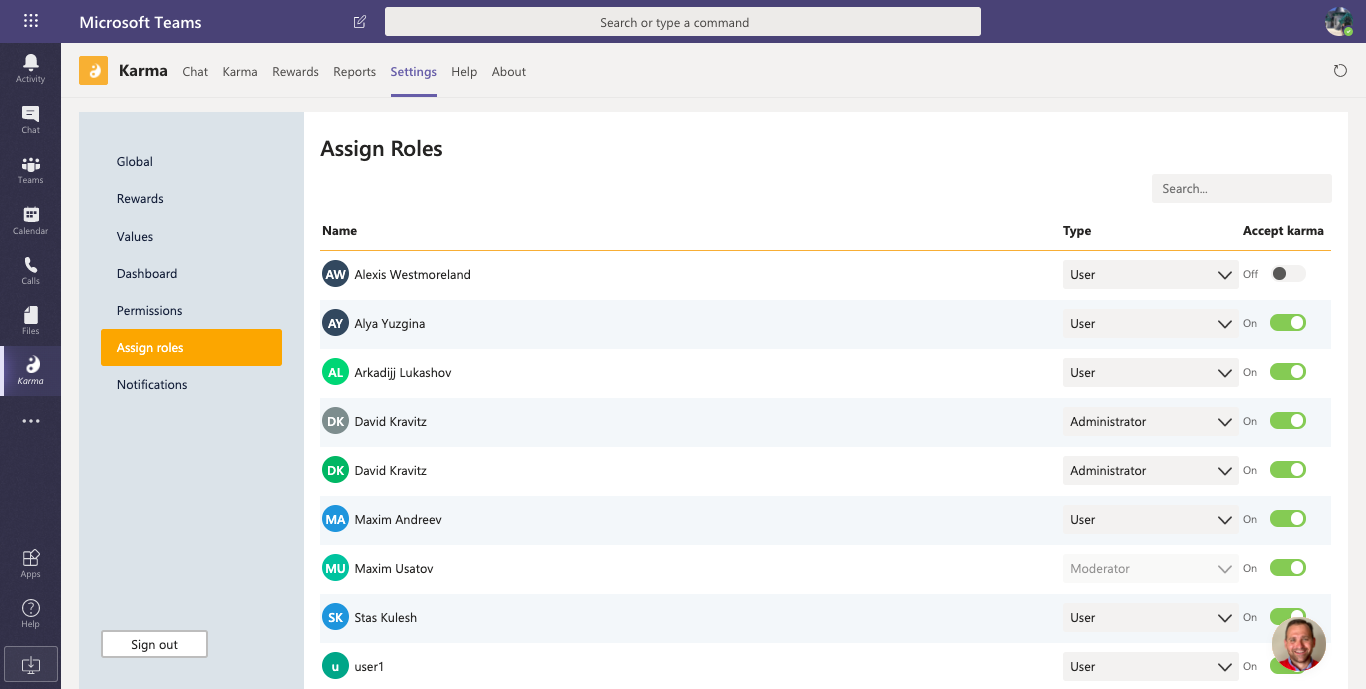
Is there a way to remove several users from Karma?
You can remove them from Karma giveaway. Navigate to roles and then turn off the “Accept karma” flag next to their name.
What if I need to change my account email?
Usually, it takes about a week to update the team directory automatically, that way Karma learns if the new emails (teams don’t change them that often).
How do I remove from Teams?
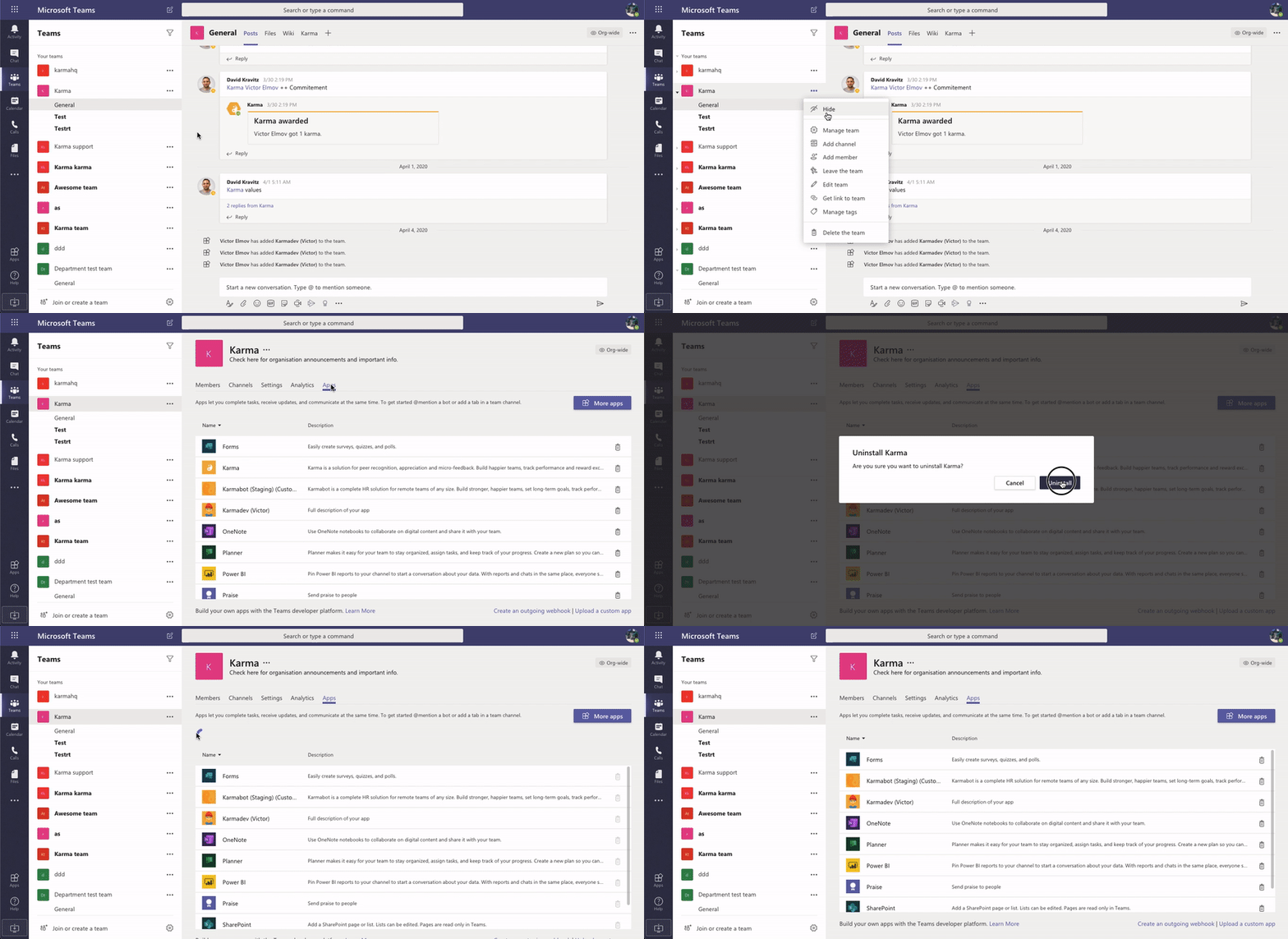
To remove Karma from Teams, find the channel name, then click More options > Manage team. On the Apps tab, click Uninstall next to Karma's name. Note that this will remove Karma for the entire team.
What’s included in the free trial?
Karma bot’s 30-day trial is a full-feature plan. You can use all of the features available. No credit card required.
Who do I pay for?
You only pay for the users that are active at the time of payment. Active are all users on the team to which Karma bot is added. If the number of active users grows, we add them to the invoice for the next month. If the same user is a part of more than one team you only pay for her once. You don't pay for guest users.
Do you offer discounts for nonprofits?
If your team is qualified as a nonprofit/educational institution, [get in touch] (mailto:[email protected]) for a discount.
Is my credit card secure?
It is safe with Stripe. We don’t store credit card details and use a trusted and secure Stripe payments system.
What happens when the trial is over? Will I be charged?
After your trial ends you won't be charged because we don't require a credit card to try Karma bot. However, you'll receive a few messages during your trial prompting you to upgrade. If you don't upgrade and your trial expires, unfortunately, you can't use Karma bot until you subscribe to a paid plan.