
Quick Actions
Interactive buttons
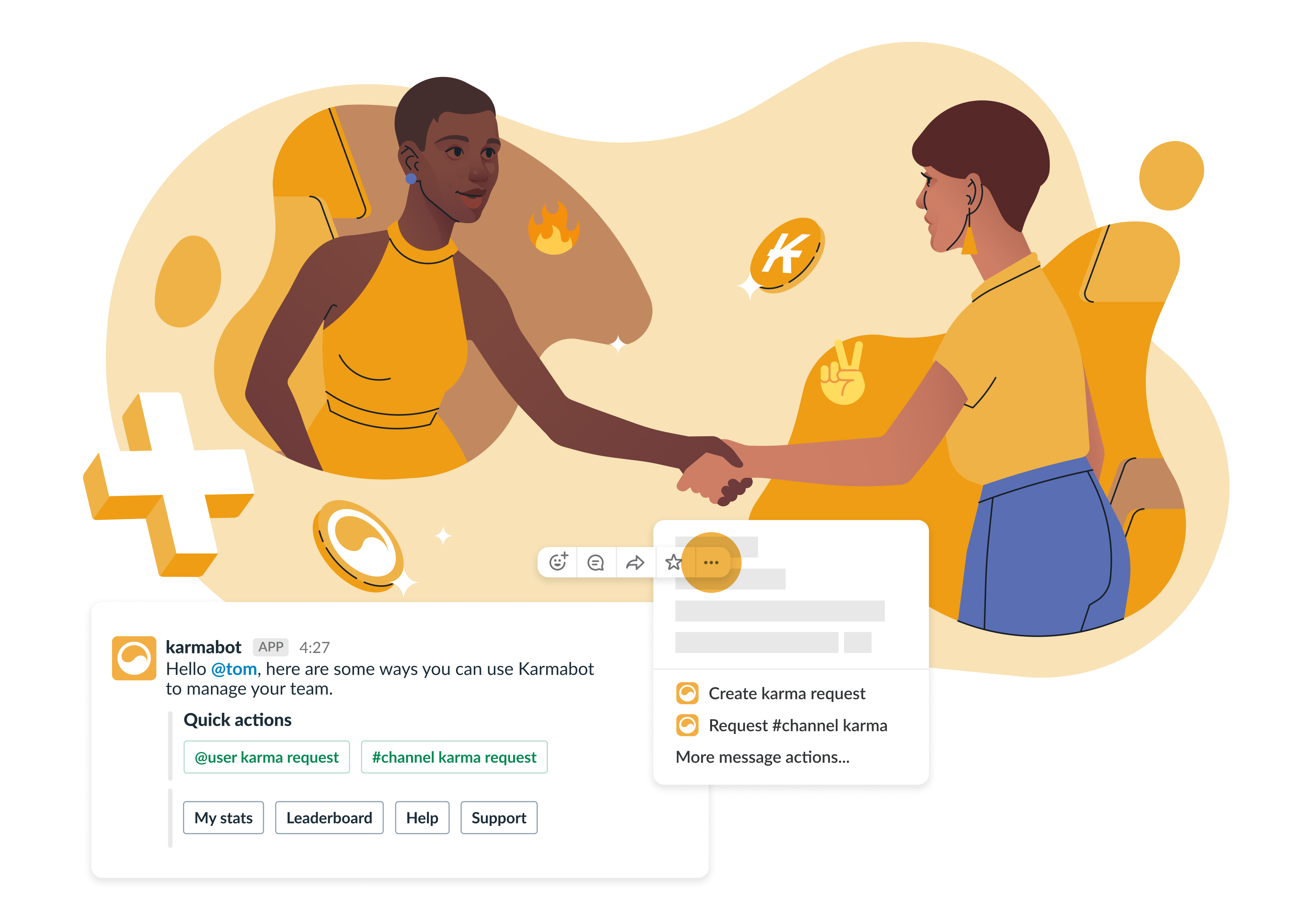
The easiest way to use Karma bot is via Quick Actions interactive buttons. To access the Actions menu type:
/k
or use
<...> icon to turn a message into karma request.
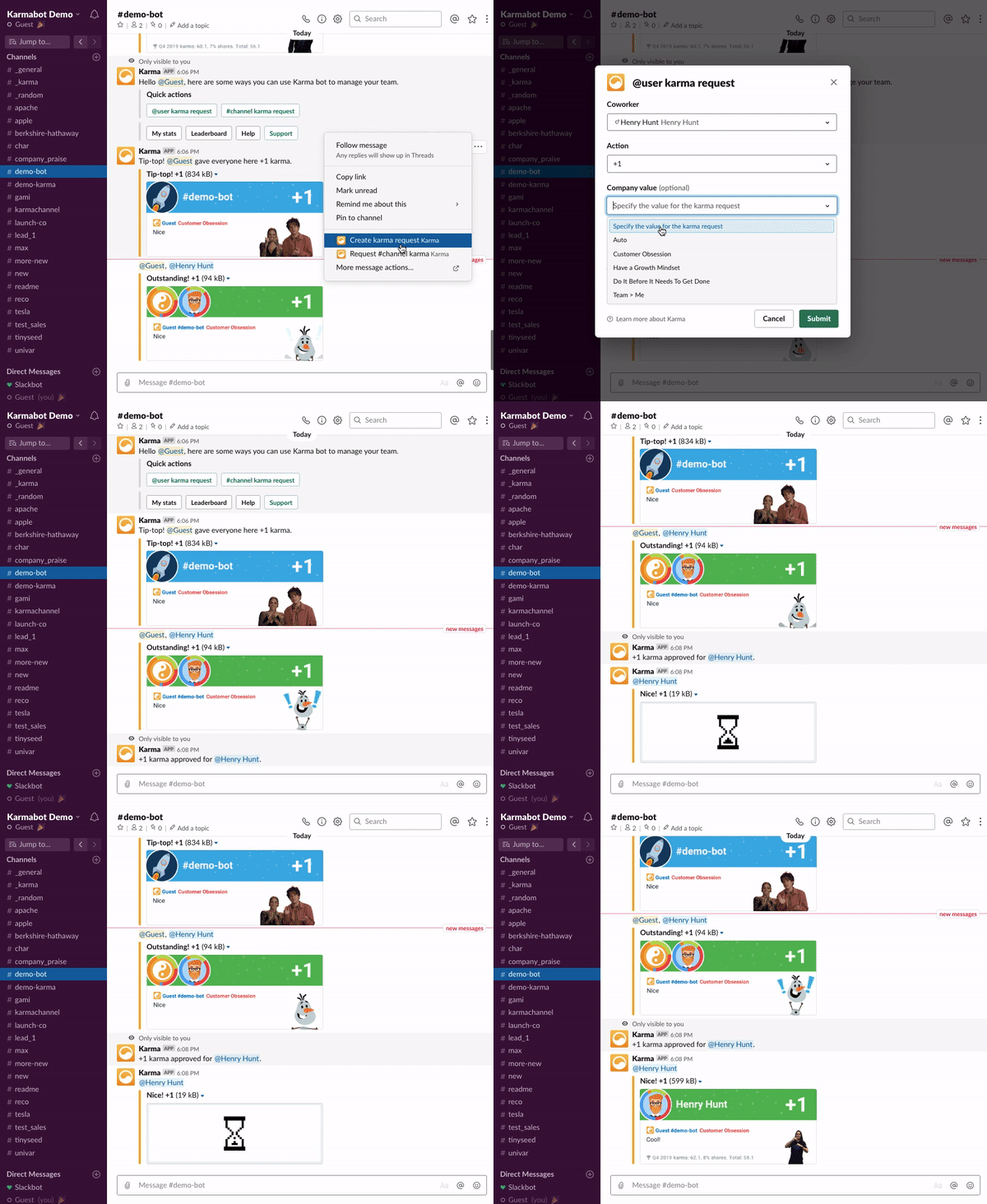
@user karma request
-
Press
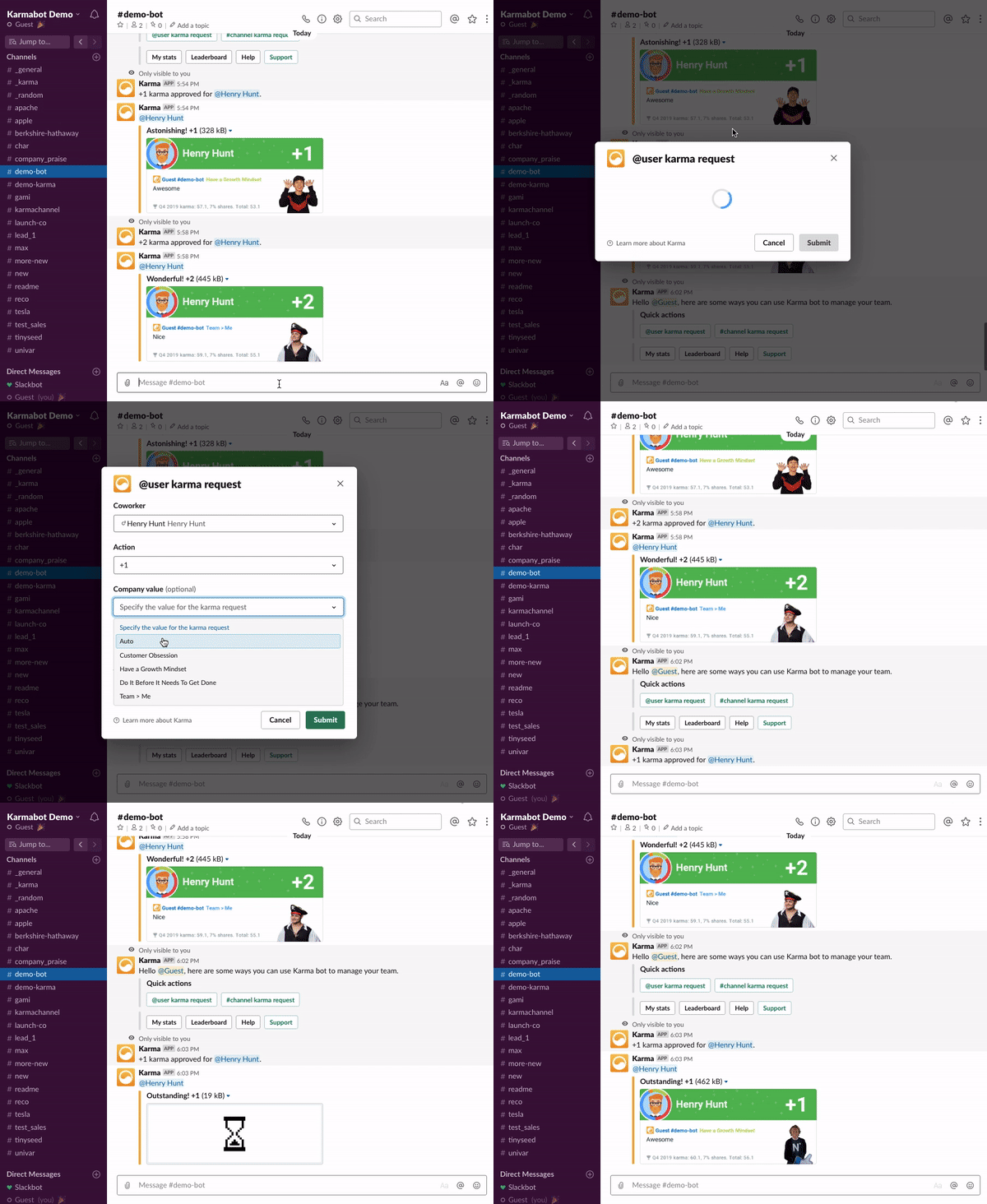
@user karma requestbutton to reward anyone on your team with a single karma point. -
In the popup window select the amount of karma (positive for rewarding, negative for deduction).
-
Provide a description (reason for your request).
-
Select a person you want to reward.
-
Select the channel (project) name.
-
Submit your request.
#channel karma request
-
Select
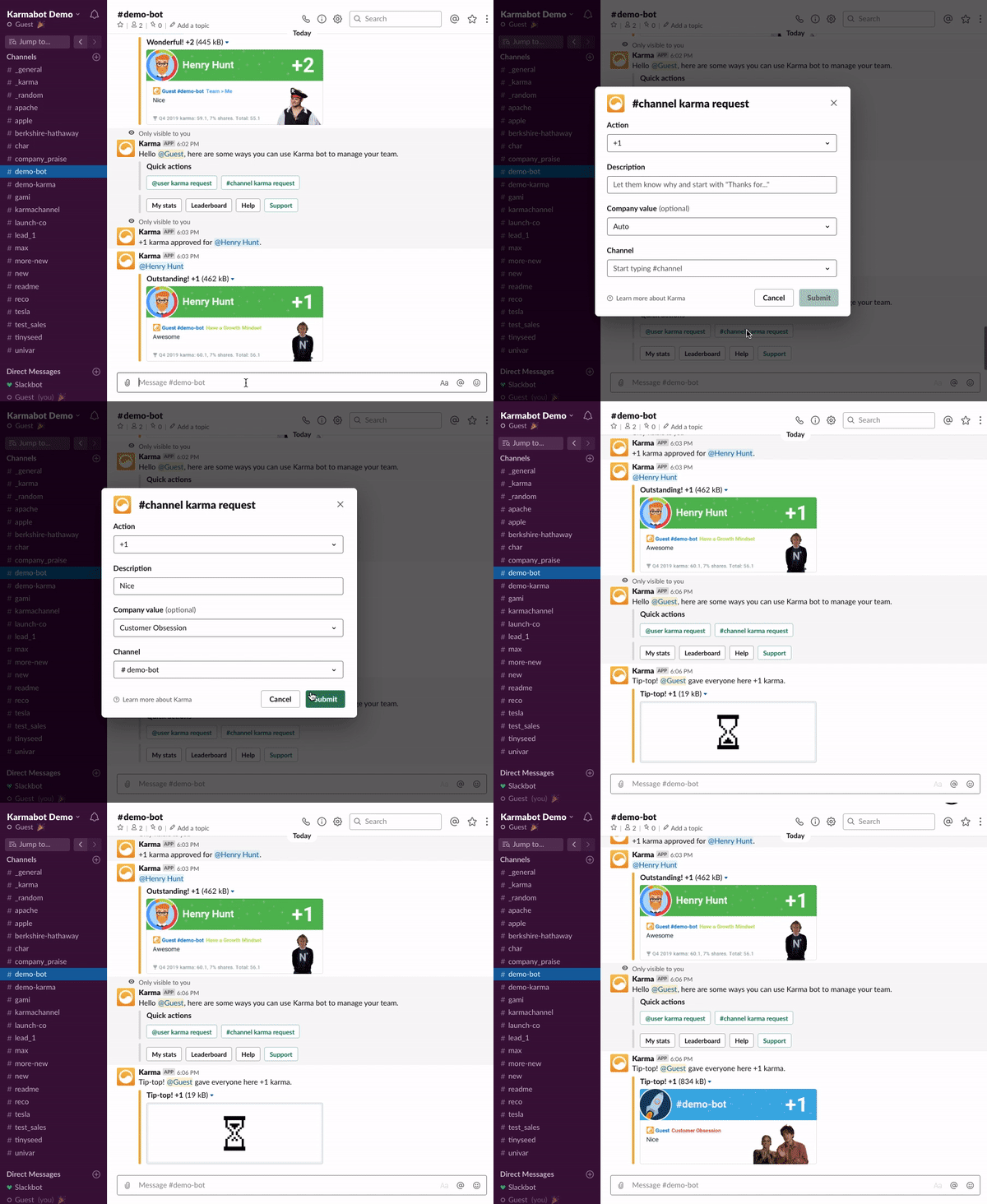
#channel karma requestbutton to reward the whole channel for reaching a milestone when in channel. Note: All channel karma requests created during this tour do not affect the billing. -
In the popup window select the amount of karma (positive for rewarding, negative for deduction).
-
Provide a description (reason for your request).
-
Select the channel (project) name.
-
Submit your request.
Use Actions to access your stats, leaderboard or ask us a question right here in Slack (you will get a response from our support team only visible to you).
Updated over 1 year ago