Jump to Content
KarmaGuidesAPI ReferenceDiscussionsFAQ
HomeGuidesAPI ReferenceChangelogDiscussions
GuidesAPI ReferenceDiscussionsFAQLog InKarma
Guides
Log In
HomeGuidesAPI ReferenceChangelogDiscussions
All
Pages
Start typing to search…

General

  • On-boarding guide
  • Quick Actions
  • Billing and pricing FAQ
  • Who can request karma
  • Who can edit roles and set options
  • Microkarma
  • Karma Rewards
  • Chrome Dashboard Extension
  • How to delete an account
  • Coupons, vouchers, discounts, promo codes

Options

  • Options
  • Auto-approve all requests
  • Post @karma response to the original channel
  • Copy announcements to this channel
  • Teams
  • Show a reminder for inviting @karma when new channel is created
  • Direct messages from @karma on karma changes
  • Bonus period
  • Allow negative karma
  • Limit karma
  • Time tracking and status reports
  • Status reports

Profiles

  • In-depth user profiles and categories
  • Karma bot user profile metrics
  • Company values

Legal stuff

  • Terms of service
  • Privacy policy
  • End User License Agreement (EULA)

Karma bot for MS Teams

  • Karma for Microsoft Teams
  • Karma Rewards MS Teams
  • Karma bot for MS Teams FAQ
  • Privacy Policy for Microsoft Teams
Powered by 

Direct messages from @karma on karma changes

This is a nice and neat option says Karma bot to send karma changes information directly to affected users.

905

Direct message from Karma bot

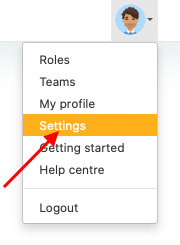
1. Go to Settings via Profile menu

180

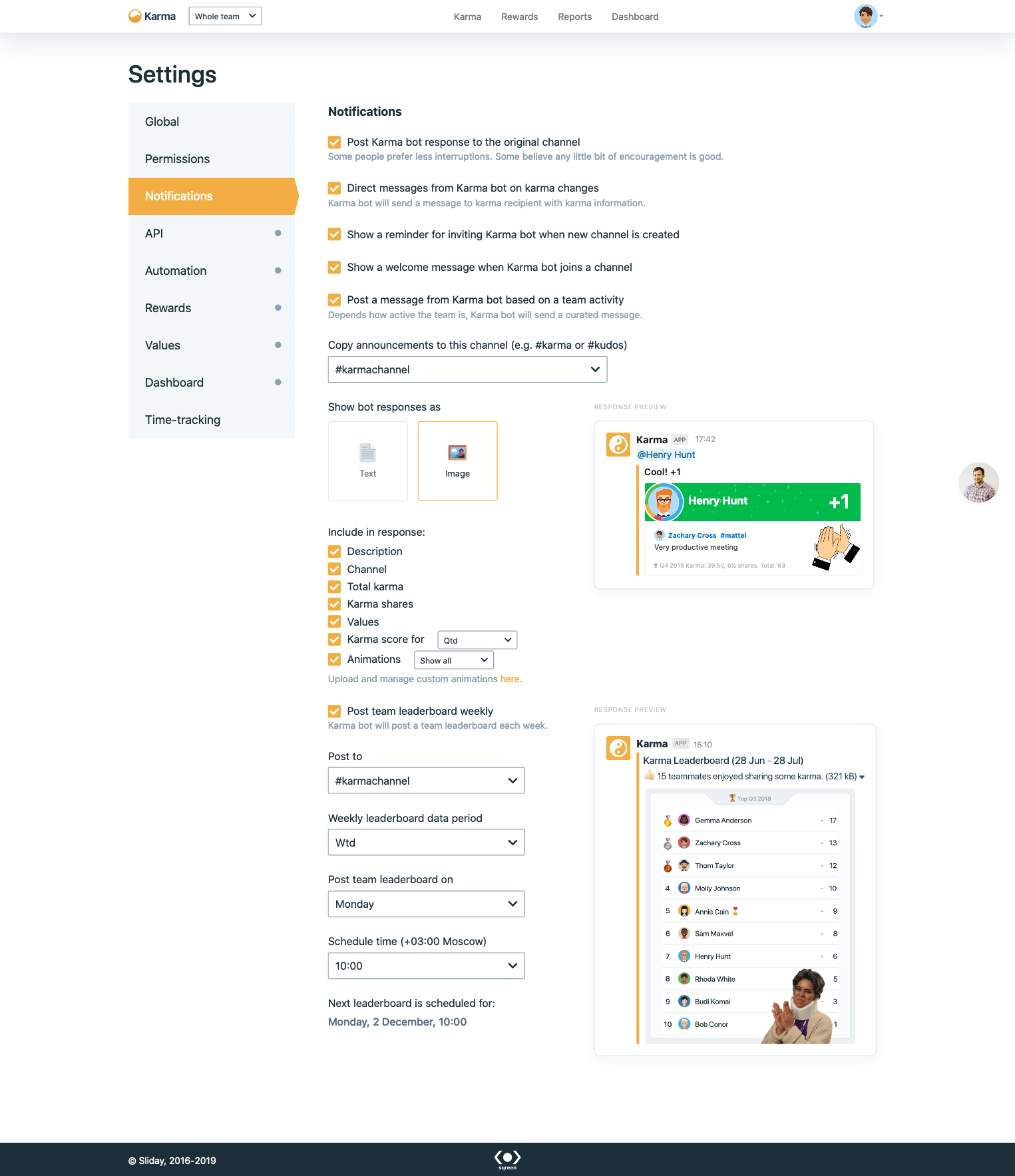
2. Go to Notifications section

1525

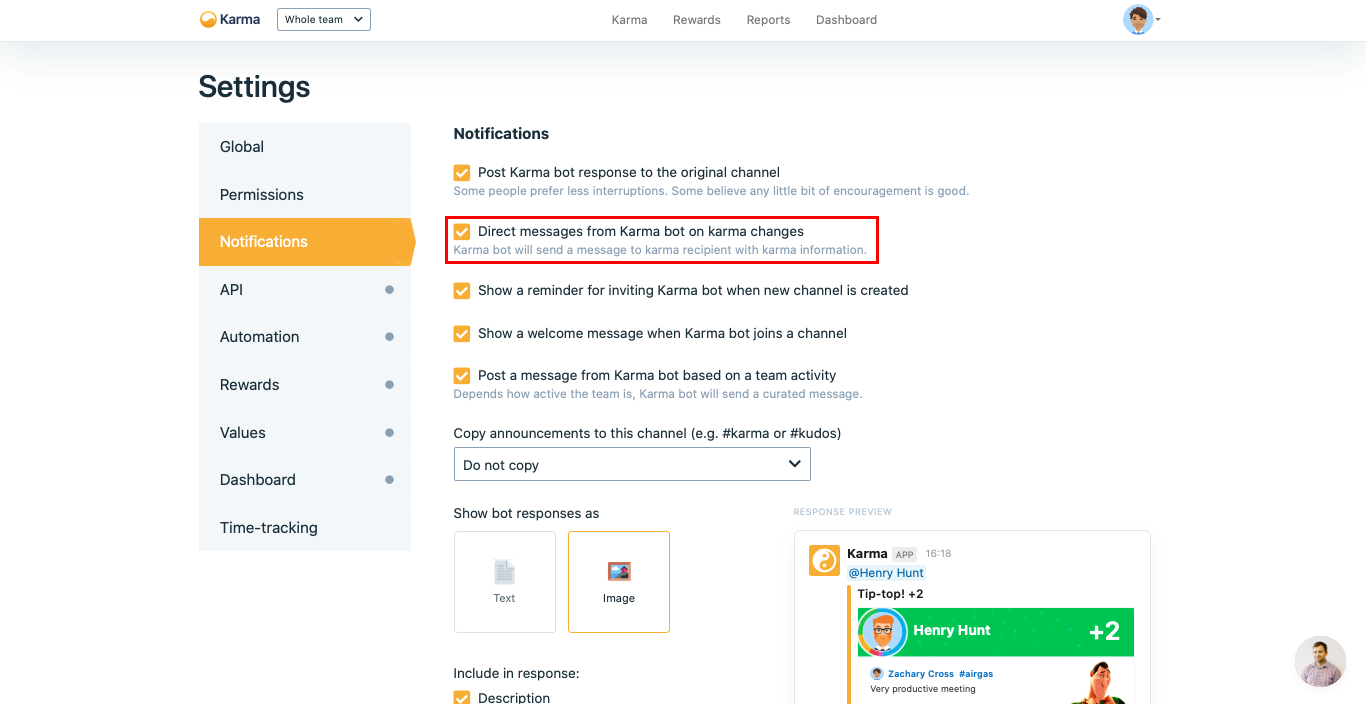
3. Select Direct messages from Karma bot on karma changes checkbox

1366

Updated 7 months ago


Show a reminder for inviting @karma when new channel is created
Bonus period